
Go Pro
AI Factory LimitedBoard
4.6139.00 Reviews
- Version
- 2.62
- Installs
- 50.00K
- Age Rating
- Everyone
Screenshots
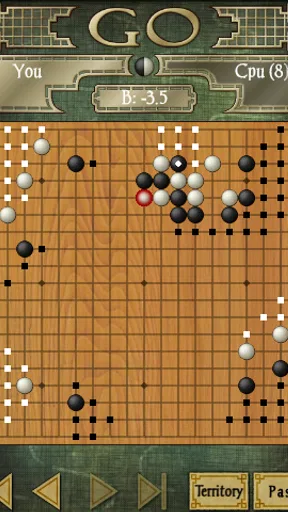
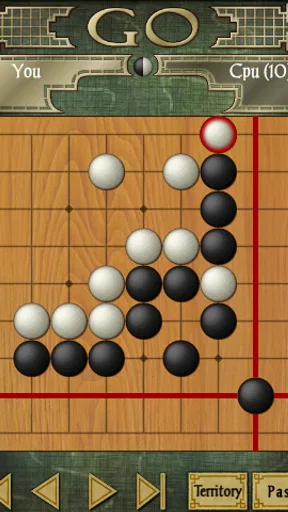
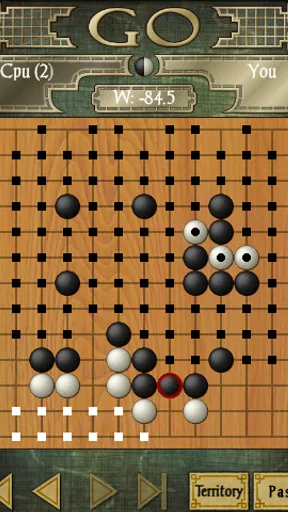
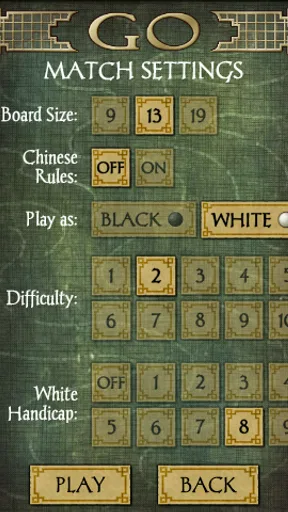
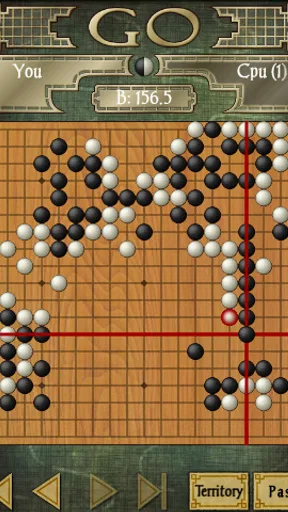
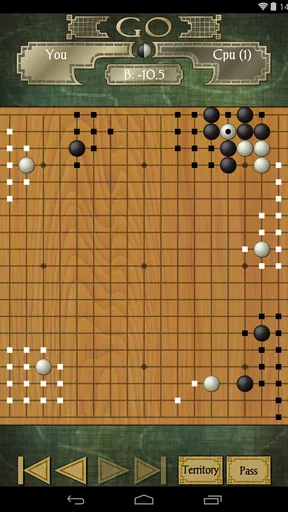
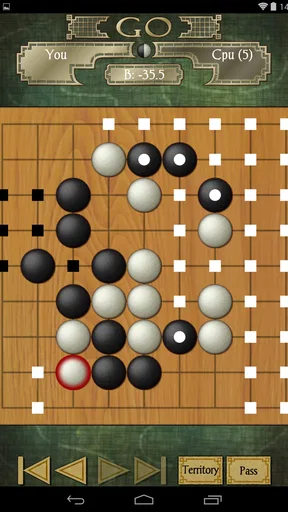
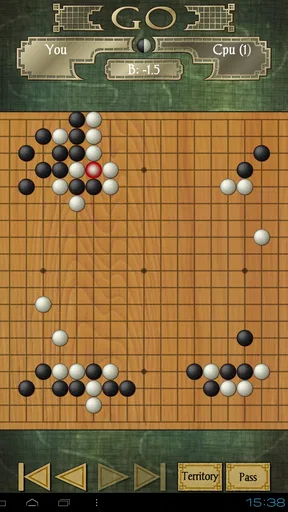
Our Review of Go Pro
 Analysis by Appyee
Go is easy to describe and difficult to master, which is exactly why I found Go Pro interesting after spending time with it. The board looks restrained, the stones follow a small set of rules, and a match can begin without a long tutorial. Yet every move changes the shape of the whole position. This Android board game from AI Factory Limited is aimed at people who want to play Go, Baduk, or Wei-chi in a focused digital format rather than use a general collection of casual games.
The important purchase detail is straightforward: Go Pro costs $7.99. It is not presented as a free game with a long commitment built around repeated spending. That makes the decision fairly simple for me. You pay once for the app, then judge whether a dedicated Go board, its learning value, and its quiet offline-style play fit your habits. The game is rated Everyone, so it is suitable for families and younger players who are ready to learn the rules, although the strategic difficulty can be much higher than the age label suggests.
What playing Go Pro feels like in everyday use
My first impression was that this is a game for deliberate sessions, not something I would open only to fill a few seconds. Go rewards attention. Even when I have a spare ten minutes, I can make progress in a position, but a complete game asks me to remember earlier choices and think beyond the next obvious capture. That gives the app a different rhythm from checkers, quick card games, or a puzzle designed around short attempts.
The title is Go Pro, and the current version is 2.62. It requires Android 6.0 or later, which keeps the technical entry point relatively broad for Android users with older compatible devices. The game belongs firmly in the board-game category, but I would not describe it as a casual board toy. Its appeal comes from the tension between simple actions and complicated consequences.
That tension is useful when deciding whether the purchase makes sense. If I already enjoy physical Go boards, this app can be a convenient way to keep a game nearby without carrying stones and a board. If I am completely new to Go, the paid format can still be worthwhile, but only if I genuinely want to learn a strategic game rather than experiment for a couple of minutes. Someone looking for instant variety would probably be happier with a broader board-game collection.
Learning the rules is quick; learning what matters is not
The basic rules are approachable. Stones are placed on intersections, groups depend on their liberties, and capturing is easy to understand once I see it happen. The hard part begins when a legal move appears attractive but weakens the rest of the board. A beginner may spend too much time chasing a small group while allowing a larger area to develop elsewhere.
That is where I think a dedicated Go app earns its place. It gives me a repeatable environment for noticing patterns: when a group is genuinely in danger, when a local fight is a distraction, and when a move should be judged by influence rather than immediate territory. I would not expect the app alone to replace a full course or a strong human teacher, but regular play can turn abstract advice into something I recognize during a real position.
A practical routine helps. I would play a short session, pause after a major mistake, and ask what changed across the whole board rather than focusing only on the last stone. After the game, I would replay the critical sequence from memory before checking the board again. This is more useful than rushing into another match, because Go improvement often comes from understanding why a move was strategically mistimed.
Where the pressure comes from
Go does not usually pressure me through a countdown or a stream of rewards. The pressure is positional. A quiet move can create a threat several turns later, and a move that looks defensive may actually give the opponent the initiative. That makes the game mentally demanding in a calm way. I can play without noise, but I cannot play well without staying engaged.
One everyday scenario shows the app’s value. Imagine I have finished work and want something more absorbing than scrolling, but I do not want a competitive action game. I can open Go Pro, play a focused board session, and stop after a natural break in the position. The game gives me a clear activity with no need to organize a physical set. The trade-off is that I may not feel relaxed if I am already tired; a complicated fight can require more concentration than expected.
For that reason, I would use it in two different ways. When I have energy, I would play a complete game and treat it as serious practice. When I am tired, I would review a small section of a previous game or make a few thoughtful moves without demanding a perfect result. This distinction prevents the app from becoming frustrating simply because I opened it at the wrong time.
Another useful habit is to set a purpose before playing. I might focus on keeping groups connected, reducing unnecessary fights, or recognizing when an area is already safe enough. A goal like that gives a beginner something concrete to observe. It also avoids the common mistake of judging every move only by whether it captures a stone.
Spending once does not remove the learning curve
The one-time price is the clearest part of the spending decision. At $7.99, this is a deliberate purchase rather than an impulse download, especially for someone who has never played Go. I see that as both a strength and a limitation. The payment can make the app feel like a tool I intend to use, but it also raises the standard I apply before buying it.
I would recommend looking at the purchase as a commitment to a specific hobby, not as a shortcut to stronger play. Paying for the app does not make strategic decisions easier. It also does not change the fact that Go can feel opaque during the first several games. If I want immediate feedback, bright presentation, or a clear sequence of unlockable goals, this is probably not the right kind of purchase.
On the other hand, people who dislike recurring spending may appreciate the simplicity of the listed price. The verified purchase context gives me a clear basis for evaluating value: how often I expect to play, whether I want a dedicated Go experience, and whether a portable board is more useful to me than a physical set. I would not buy it merely because it is inexpensive compared with a larger hobby. I would buy it because I want this particular game available on my phone.
Fairness depends on the opponent, not on a reward economy
For me, competitive fairness in a Go app starts with whether the match feels like a contest of decisions rather than a contest of spending. Go Pro’s purchase model is easy to understand: the app is listed at a fixed price. I do not approach it expecting a shop-driven progression loop or a need to keep paying to remain competitive. That makes the spending question less distracting than it is in many free-to-play games.
The more important fairness question is the strength of the opponent I face. A beginner needs room to make mistakes, while an experienced player needs a serious challenge. If the difficulty is poorly matched, the experience can feel unfair even when both sides follow the same rules. New players should therefore resist judging the game after one discouraging session. A loss may reflect a gap in reading ability rather than a problem with the board or controls.
Handicap thinking is especially useful for Go. When two players have different experience levels, a balanced game does not always mean giving both sides identical starting conditions. A stronger player can deliberately choose a learning objective, such as avoiding aggressive invasions, while a newer player concentrates on keeping groups alive. This does not make every game equal, but it can make practice more productive.
I also prefer to measure fairness by clarity. A move should be judged because of its effect on liberties, territory, connection, or influence, not because it produces a flashy result. Go Pro suits that mindset. It is a poor choice for anyone who wants a game to constantly reassure them that they are progressing. It is better suited to players who can tolerate uncertainty and review their own choices honestly.
How it compares with a physical board and broader alternatives
A physical Go set still offers something the phone cannot. Stones have weight, the board is easier to study at a glance, and two people can sit across from each other without sharing a screen. If I regularly have a willing opponent at home, a physical set may be the more social purchase. It also creates a stronger ritual around play, which can matter for people who enjoy the tactile side of board games.
The app wins on convenience. I can keep a board in my pocket, avoid storing equipment, and play without arranging a meeting. That makes it particularly useful for solo practice and for players who are still building confidence before joining a club or playing against someone experienced. It is also less intimidating than asking a strong player to explain every mistake in real time.
Compared with a general board-game app, Go Pro is narrower but more focused. A collection gives me variety and may be better for a family that wants chess, cards, and several quick games in one place. This title makes more sense when Go itself is the reason I am opening the app. The fixed price can be easier to understand than a free collection, but the narrower scope means I should not expect it to replace every other board game on my device.
Online services can be better for finding a large community and regularly facing human opponents. They may also offer social features or organized competition that a standalone experience cannot match. I would choose Go Pro instead when I want a private, uncomplicated board session and do not want my enjoyment to depend on finding another player at that moment.
Small habits that make the app more useful
My first concrete tip is to stop treating every local fight as urgent. Before answering a threat, I would scan the four corners, sides, and center and ask which area has the greatest strategic value. This is a simple habit, but it directly addresses the beginner tendency to play wherever the last move happened. A phone screen can encourage tunnel vision, so deliberately looking across the whole board is especially important.
Second, I would use a “why did I lose this group?” review rather than replaying only captures. Was the group surrounded because I ignored a connection? Did I start a fight with too few liberties? Did I defend a small area while the opponent built strength elsewhere? These questions turn a disappointing game into several specific lessons. The app becomes more valuable when I use it as a record of decisions rather than a sequence of wins and losses.
Third, I would separate tactical reading from strategic judgment. In a local sequence, I might calculate whether a group can escape. After that, I would ask whether the sequence is worth playing at all. Many new players can read a few moves but still choose battles that damage their overall position. Practicing this second question is one of the less obvious ways to get more from a digital Go board.
A fourth tip is to protect the screen from becoming the only thing I see. I would hold the device at a comfortable angle, enlarge my view if the board feels cramped, and avoid playing while distracted by notifications or conversation. That sounds basic, but Go relies on recognizing relationships between distant stones. If I cannot comfortably inspect the whole board, I will make strategic mistakes that have nothing to do with my actual understanding.
Who should buy it, and who should pass
I think Go Pro is a good fit for a solo player who already knows the basic rules, wants a dedicated Android board, and values a straightforward purchase. It also suits a curious beginner who is willing to learn gradually and does not need constant rewards. The Everyone rating makes it accessible in age terms, but parents should remember that accessibility is not the same as simplicity; the game can challenge a child’s patience and planning skills.
I would be more cautious if I were buying it for a social family evening. A physical board or a broader multiplayer collection may create more conversation and variety. I would also skip it if my main goal were fast matches, animated presentation, or a large online community. Go is not at its best when rushed, and this app should not be judged by the standards of a quick arcade game.
New players should ask themselves one honest question before paying: am I interested in learning why a move works, or do I mainly want to place stones and see immediate results? If the second answer is closer, the first few sessions may feel unrewarding. If the first answer is genuine, the slow improvement can become the main pleasure. The app’s value grows with attention rather than with the number of minutes spent tapping.
What I would check before committing
The purchase decision is clear enough to evaluate, but I would still approach it with sensible expectations. I would confirm that my Android device meets the minimum operating-system requirement of 6.0 or later and that I am comfortable using a phone or tablet as my main board. I would also decide whether I want solo concentration or human competition, because that choice determines whether a focused standalone game or an online service is the better match.
I would not assume that a paid app automatically provides every learning aid I might want. My buying decision would rest on the core experience of playing Go, not on imagined extras. That is an important distinction: the fixed price can feel reassuring, but it should not encourage me to fill in unknown details with expectations. I would purchase it for the board game itself and judge the value by how often it helps me play and think.
The same caution applies to progress. I would not expect a version number, a strong average rating, or a healthy-looking audience to guarantee that the app matches my preferred style of play. The game has an average rating of 4.6 from around 1.7 thousand ratings, and it has passed the fifty-thousand-install mark, which suggests that many Android users have found it worth trying. Those figures are useful context, but my own patience with Go matters more than popularity.
My trust verdict after weighing value and limits
Go Pro makes a convincing case for a dedicated Go experience because it stays centered on the game’s real appeal: a small set of rules that produces deep, demanding decisions. I like that the purchase can be understood without building my expectations around ongoing spending. I also like the portability. A board that is always close by makes it easier to practice regularly, and regular practice is far more important in Go than a single enthusiastic session.
Its limitations are equally clear. Go can be slow to understand, a small screen can make whole-board reading less comfortable, and players seeking social competition or broad game variety may find a different option more suitable. The fixed $7.99 price is reasonable only if I expect to return to Go repeatedly. For a one-evening experiment, I would rather try a lower-commitment option first.
My final recommendation is therefore specific rather than universal: buy it if you want a focused Android board for thoughtful Go practice and prefer a clear one-time purchase. Skip it if you need instant entertainment, a busy online community, or a collection of unrelated games. In my experience, the strongest reason to choose this title is not presentation or novelty. It is the chance to keep returning to a game where every match teaches me to look farther ahead.
Verdict
Strengths of Go Pro
- Excellent stabilization keeps action footage smooth during movement.
- Rugged, waterproof design makes it suitable for outdoor adventures.
- Wide-angle lenses capture more of the scene in a single shot.
- Voice controls allow hands-free recording in supported conditions.
- The mobile app offers convenient editing and quick social sharing.
Limitations of Go Pro
- Battery life can drop quickly when recording at high resolutions.
- Advanced features may require a paid GoPro subscription.
- The camera can become warm during extended high-quality recording.
- Small controls and menus may be difficult to use while wearing gloves.
- Low-light footage is less impressive than daytime recordings.
Other Releases by AI Factory Limited
View All


Similar Picks in This Category
View All
Ludo King®
Gametion4.1

Ludo
Yarsa Games4.6

Tile Master® - Matching Game
Higgs Studio3.6

Checkers Online
CC Games4.6

Dominoes
Loop Games4.7

Chess
Chess Prince4.6
Frequently Asked Questions
What is GoPro, and what can I use it for?
GoPro is an action-camera companion app designed to help you control compatible GoPro cameras, preview shots, change recording settings, and transfer or share captured content. During testing, it was especially useful for framing difficult angles from a phone and organizing footage after recording. Some features depend on your camera model, firmware, phone, and whether you use a free or subscription-based account.
Is the GoPro app free to download and use?
The GoPro app can generally be downloaded for free on Android and iOS, but not every feature is available without limitations. Basic camera control, previews, and content management may be included, while cloud backup, automatic uploads, editing tools, or expanded storage can require a GoPro subscription. Before downloading, check the current pricing, trial terms, and supported features in your local app store.
Which devices and GoPro cameras are compatible with the app?
Compatibility varies depending on the GoPro camera generation, smartphone operating system, Bluetooth and Wi-Fi support, and installed firmware. Newer cameras typically provide the most complete experience, while older models may offer fewer controls or transfer features. It is recommended to update both the camera and mobile device, then review GoPro’s official compatibility information before relying on the app for a specific camera.
Does GoPro require an internet connection to work?
An internet connection is not always required for basic camera control because the phone can communicate with the camera through Bluetooth and Wi-Fi. However, internet access is normally needed for signing in, downloading updates, syncing media to the cloud, using subscription features, and sharing content online. Large video transfers and cloud backups can also consume considerable mobile data, so Wi-Fi is usually preferable.
What are the main drawbacks to consider before installing GoPro?
The app offers convenient remote control and editing tools, but the experience can be affected by battery usage, wireless connection interruptions, large video file sizes, and occasional delays while previewing or transferring footage. Some advanced cloud and storage features may also require a paid subscription. Users with older phones or cameras should expect fewer features and should confirm available storage before importing high-resolution videos.
Play our best games!


